A. ACCESS THE HR1JOBS PAGE
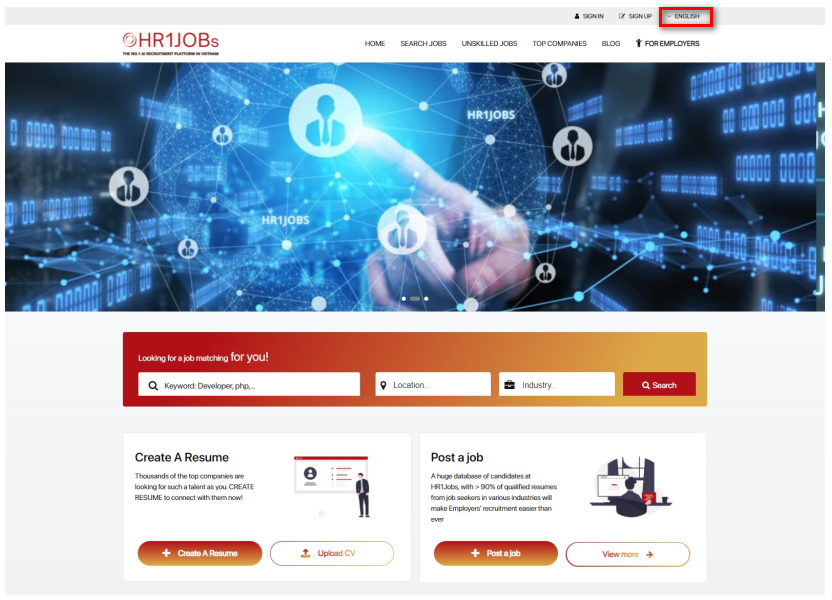
Step 1: Access this link https://hr1jobs.com/vi
Step 2: Choose your language (Tiếng Việt / English)
B. SEARCH JOBS/NEW JOBS
Step 1: To view the latest jobs/ jobs, click on the search bar to receive the results
Select the search bar on the main homepage as shown below:
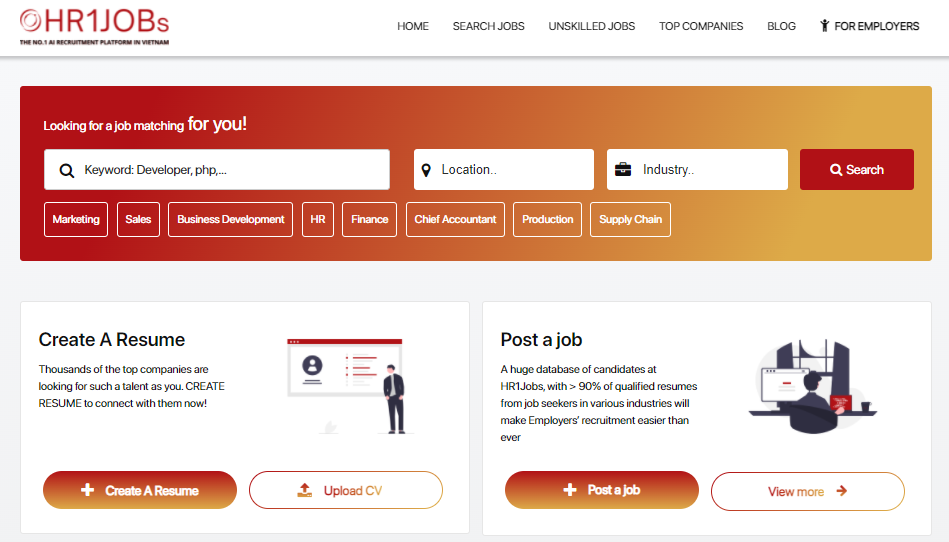
Or select “NEW JOBS” UNDER “MY HR1JOBS”
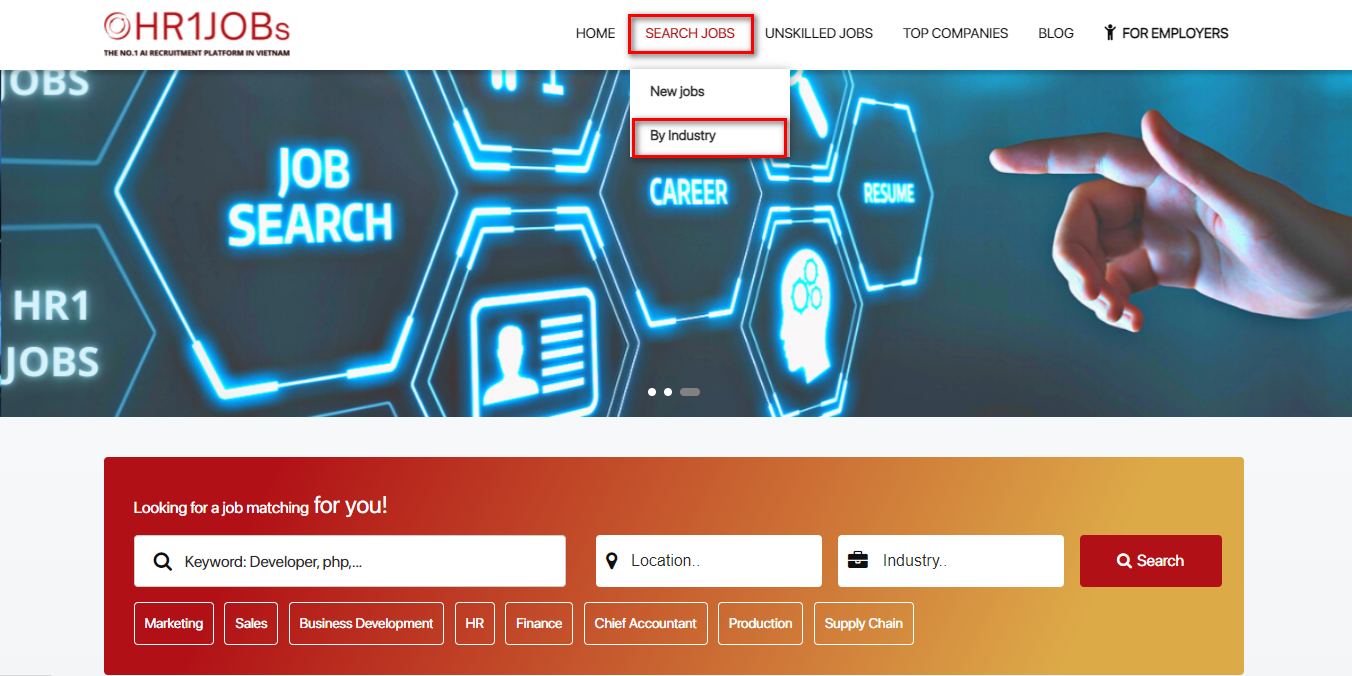
After clicking “NEW JOBS”, The Search page will be displayed as below:
The top filter is the basic filter including search bar, location & industry
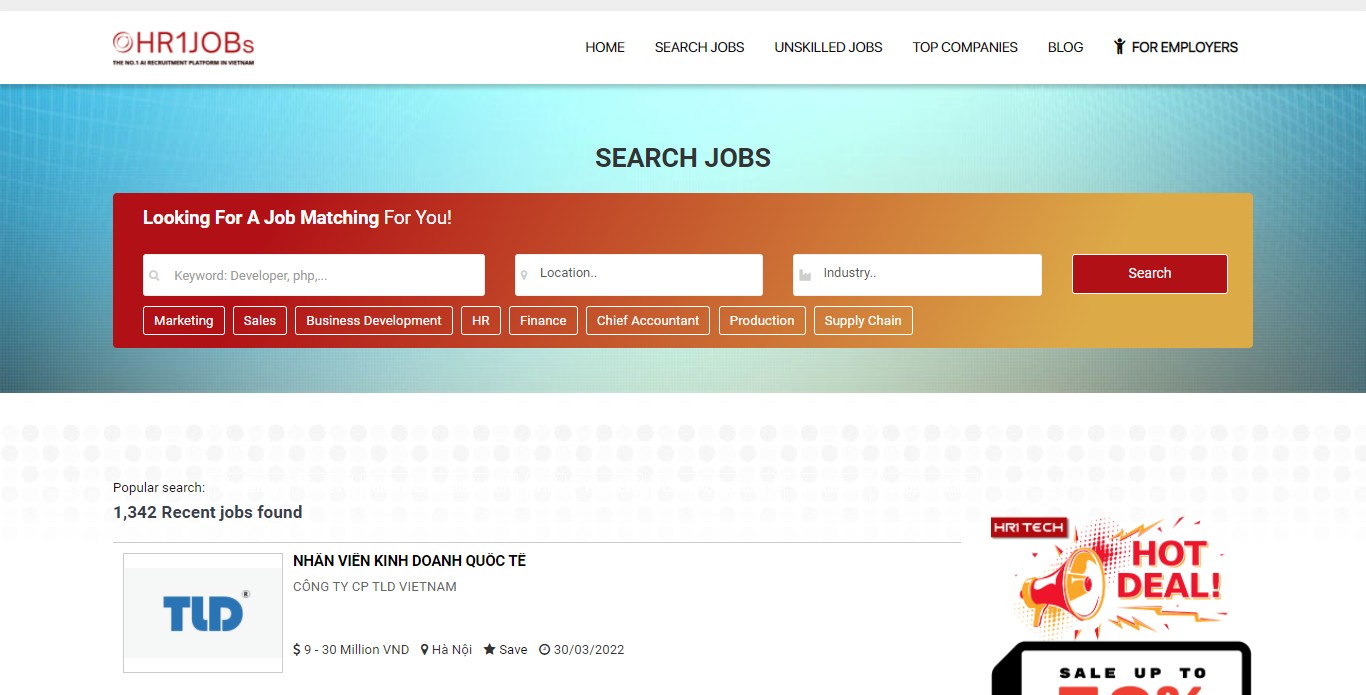
Step 2: Input criteria for search

- Search bar: Input the keywords
- Industry: Filter jobs’ industry results in accordance with the employee's requirements. You can choose up 3 industries
- Location: Filter job’s location results in accordance with the employee's requirements. You can choose up 3 locations
How to search with keywords:
Enter a search keyword, the search results will include all candidate’s resumes containing any words in your search keywords, in any order and displayed according to the time updated.
In the total jobs/ new jobs, The results are displayed by default according to the descending relevance.
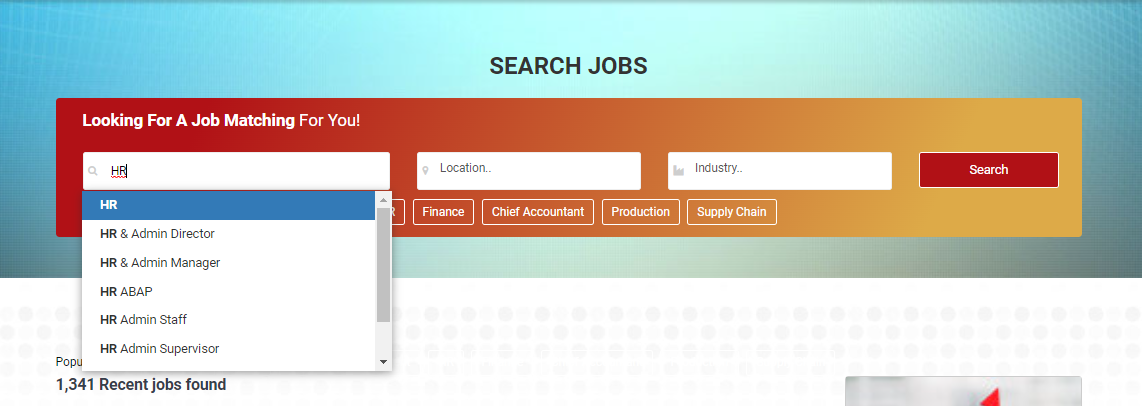
Besides, search bar will auto-suggest relative keywords when employees click to the bar
Advanced Search
Use search operators and symbols: “Quotes”, (Bracket), AND, OR in your search term, which helps to limit, broaden, or define your search and leads to suitable results in accordance with employee’s requirements.
1. AND and OR
AND helps to broaden your search criteria
>> Example: Business Development AND Sales (return resumes containing both Business Development and Sales)
OR helps to define between each word if you want to search for individual words
>> Example: Business Development OR Sales (return resumes containing Business Development or Sales)
Combination of AND , OR
>> Example: Account OR Business Development AND Sales (return resumes containing Account or Business Development, Sales)
*Notes:
- AND and OR must be capitalized. If they are written in the normal, they will defined as the keywords to search
- The number of AND or OR in each search term: 2 AND - 1 OR
2. Combine (Brackets) in search term
(A OR B) AND C
>> Example: (Java OR PHP) AND Developer (return resumes containing PHP Developer or JAVA Developer)
*Notes: The number of AND or OR in each search term: 2 AND - 1 OR
3. Search for an exact word or phrase with “Quotes”
“Quotes” helps to search for a specific phrase
>> Example: “Operation Director” (return resumes containing exact “Operation Director”)
Combine AND, OR, “Quotes” to help to search exactly what you’re looking for
>> Example: "Digital Marketing" AND SEO (return resumes containing exact “Digital Marketing” and SEO or keywords that are similar with SEO)
*Notes: When using “Quotes” or (Brackets) remember to end with a closing bracket or quote mark. If your search result is “Digital Marketing” or (Digital Marketing, search engine will not understand your search term
C. SEARCH JOBS BY INDUSTRY
Step 1: To view jobs with a wide range of occupations, select “BY INDUSTRY” under “SEARCH JOBS”
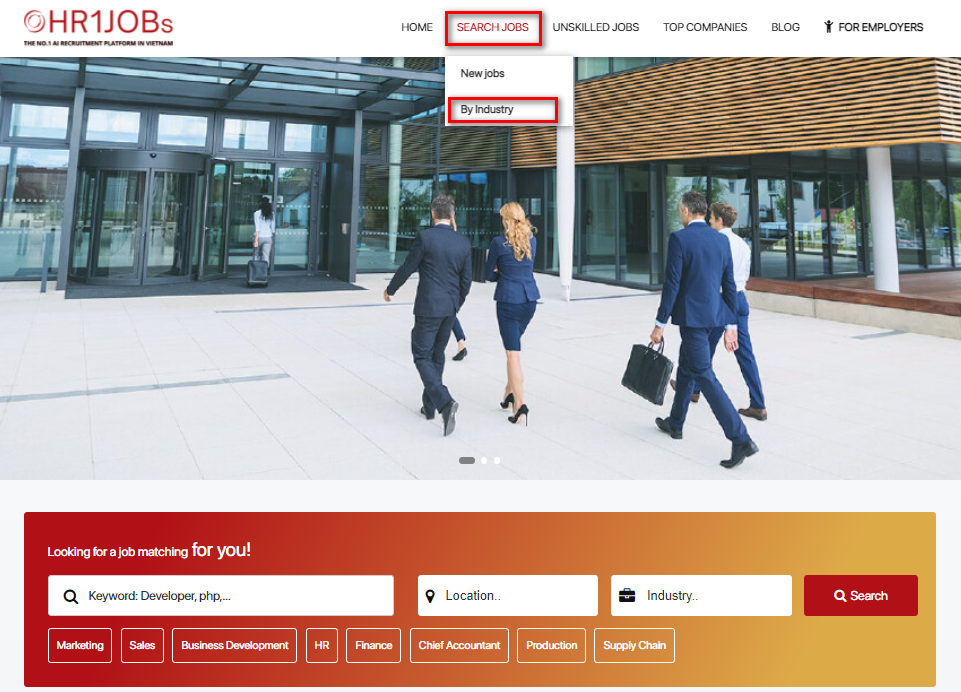
After clicking “BY INDUSTRY”, The Search page will be displayed as below:
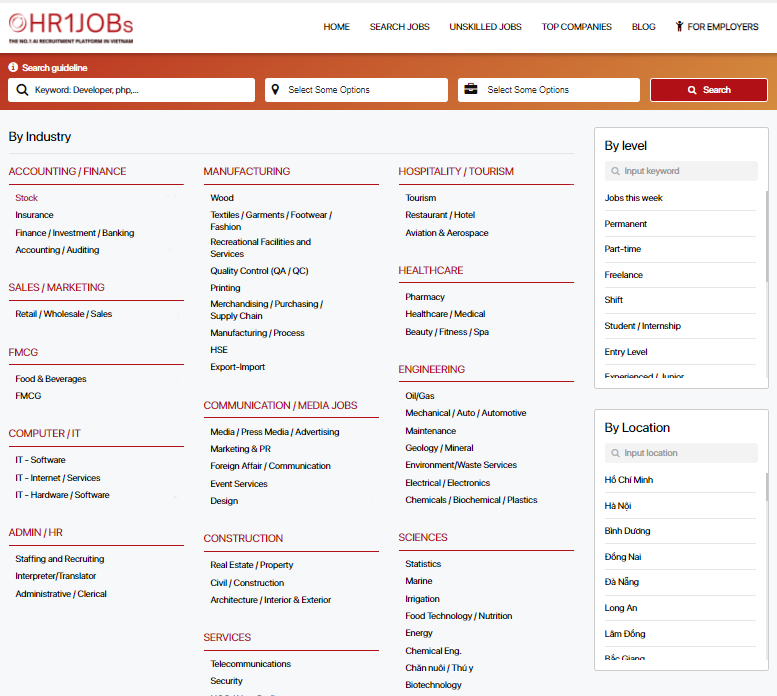
To select a job by industry that employees care, click on the industry name
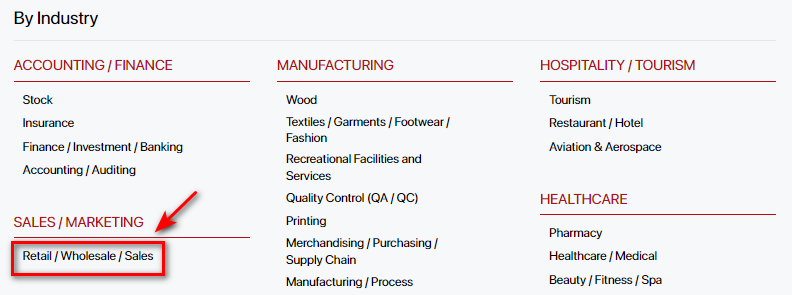
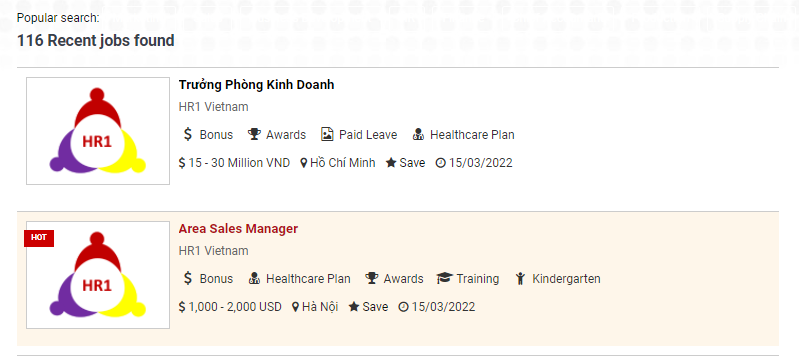
After selecting, the screen will switch to the results page as shown below:
• Total number of jobs found
• Jobs by company
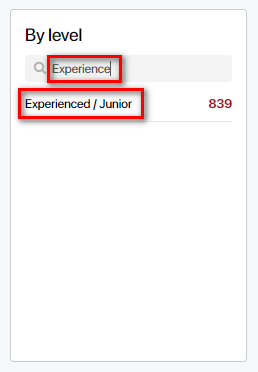
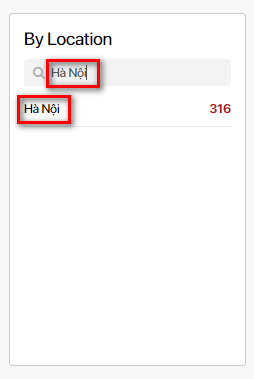
In addition, it is possible to search jobs by level and location (two search boxes on the right of the screen).
Scroll down or enter key words to select criteria
For any further questions, please contact:
WEBSITE: www.hr1jobs.com
HOTLINE: (+84) 085 200 9068
Email: info@hr1jobs.com
Facebook: www.facebook.com/hr1jobs
LinkedIn: https://www.linkedin.com/company/hr1-jobs
 Tiếng Việt
 English