A. LOGIN
Step 1: Access this link https://hr1jobs.com/vi/employer
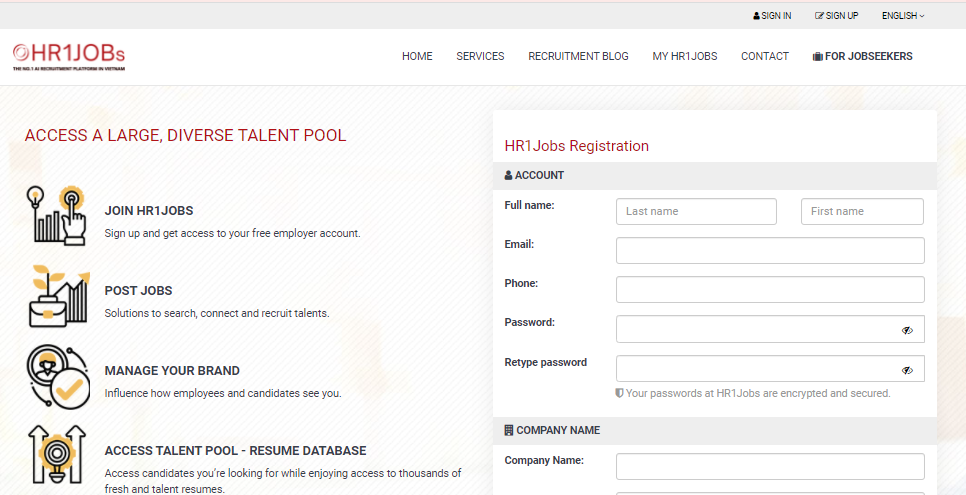
Step 2: Choose your language (Tiếng Việt / English)
Step 3: Click SIGN UP at the top right corner.
Or SIGN IN if you already have an account.
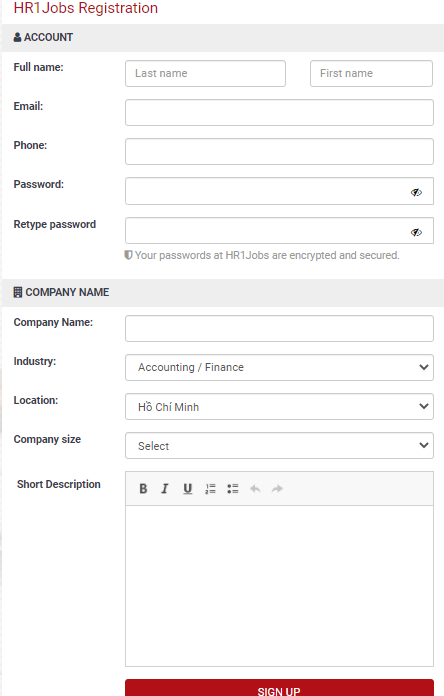
Bước 4: Fill all the required information, then click “SIGN UP”
B. TRACKING CANDIDATES APPLYING FOR EACH POSITION
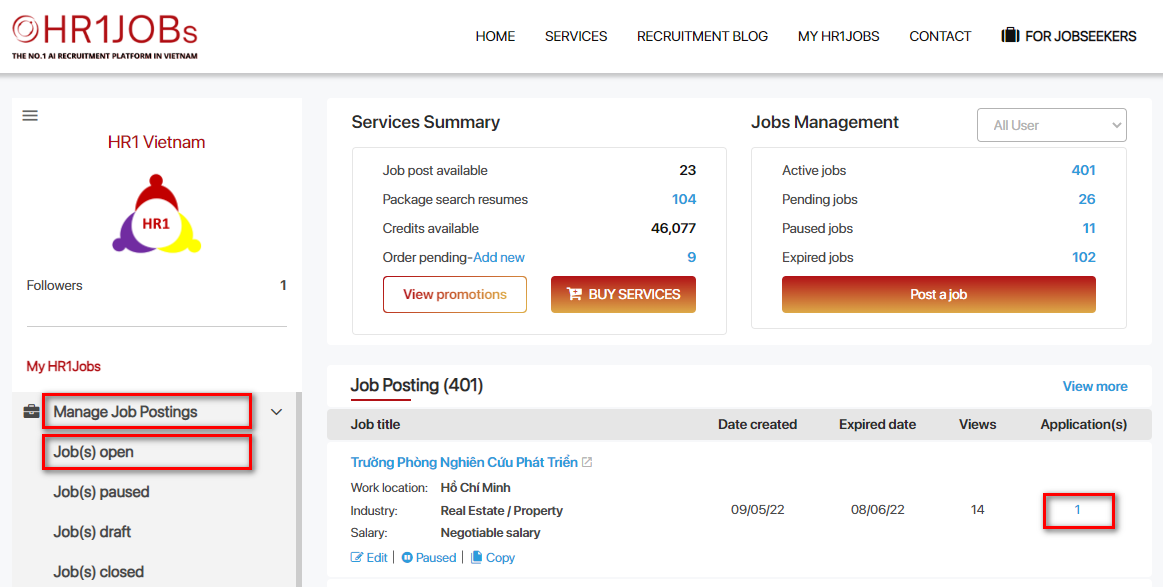
Step 1: After logging in to your account, select “JOB(S) OPEN” under the “MANAGE JOB POSTINGS” section. Then, select the number of applied Profiles in the right corner.
Step 2: The new candidate tracking page will be displayed as below
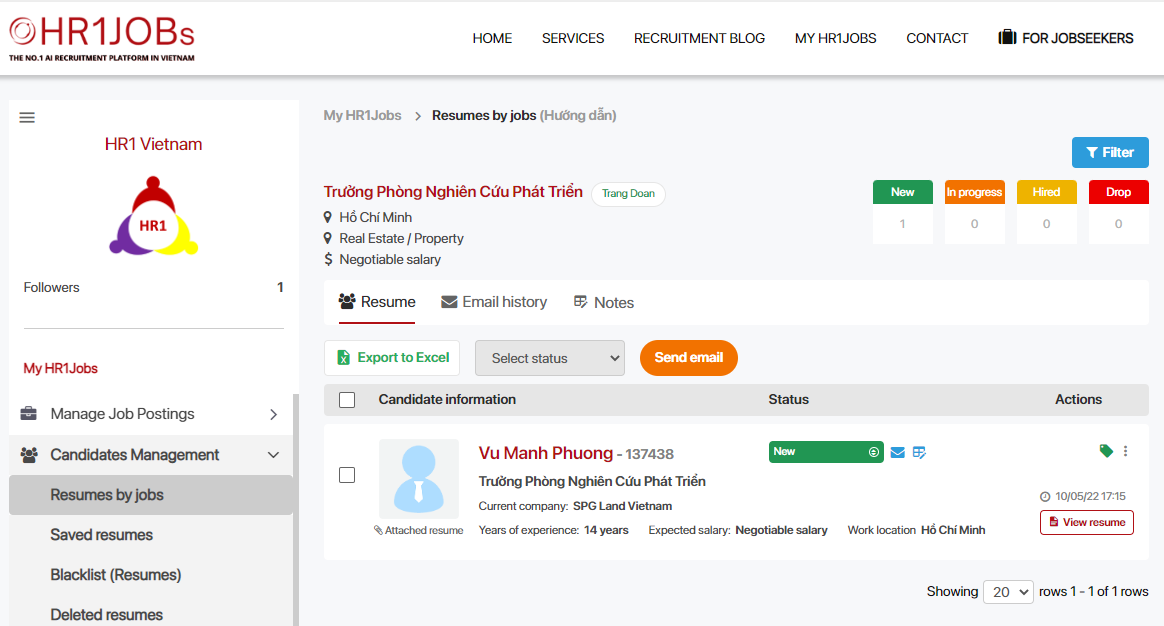
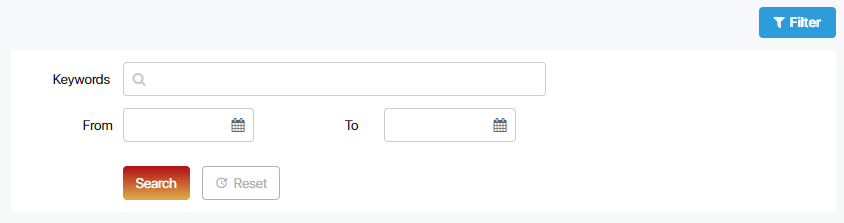
The upper part will display the information about the vacancies and filter to support the search. The expanded filter will have the following fields of information:
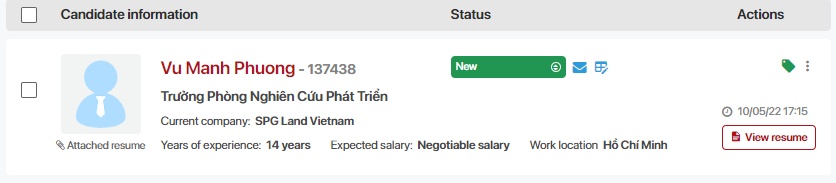
Step 3: Update Candidate's status for management.
For Candidates who have just applied, when Employer have not changed candiatde to other statuses, they will be updated as “New”
Other status includes:
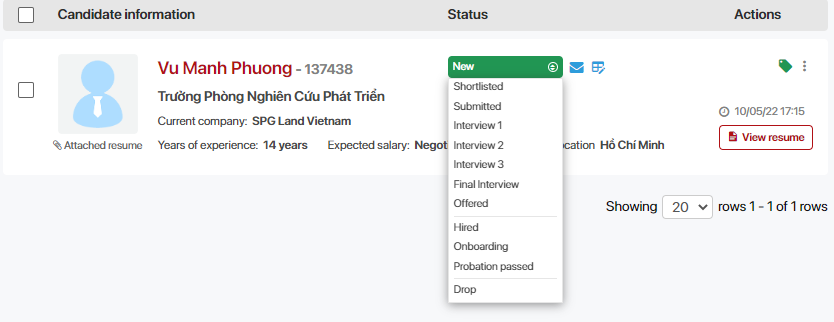
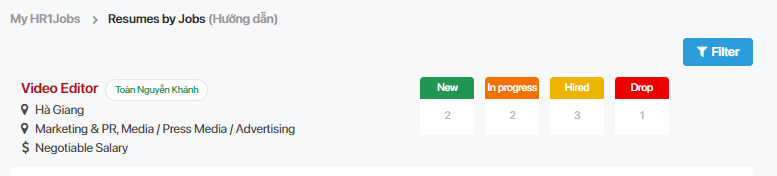
These statuses will be summed up into 4 main statuses:
-
New: When “New” status is selected
-
In Processing: When "Shortlisted / Submitted / Interview round 1, 2, 3 / Final interview / Offered" status is selected
-
Hired: When "Hired/ On Boarding / Probation passed" status is selected
-
Drop: When “Drop” status is selected
The number of Candidates updating the main status will be aggregated to the top of the page as shown below.
Step 4: Add notes for each Candidate.
To add a note, select the icon or the "..." to display more as shown below
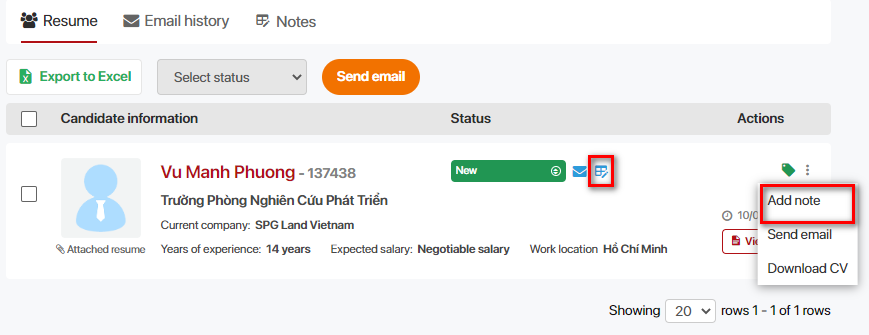
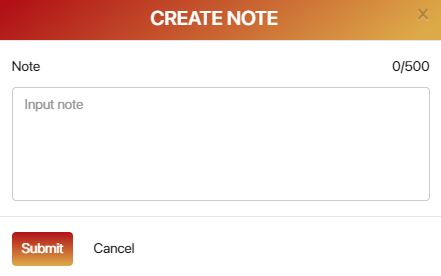
After selecting, the note box will appear. The limit of character is 500. Input the note and select “Save”
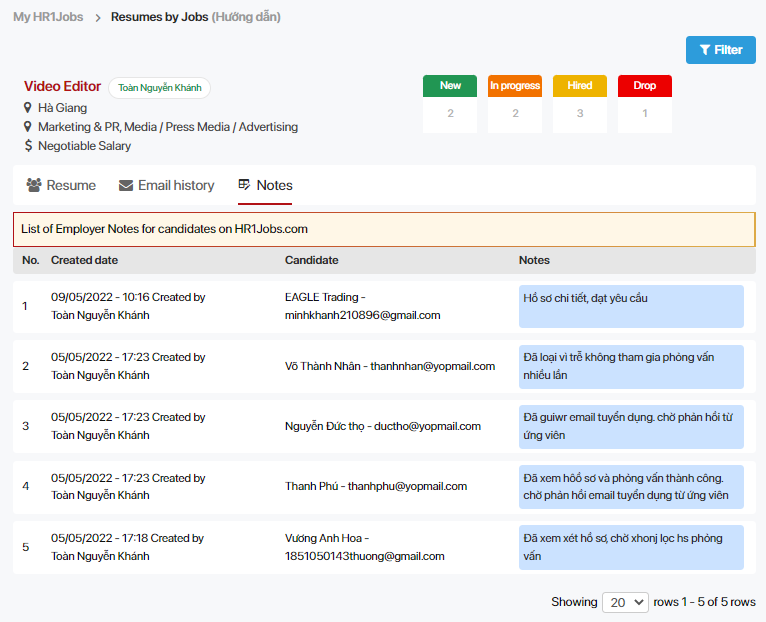
To review the note history for each Candidate, select “Notes” as shown below
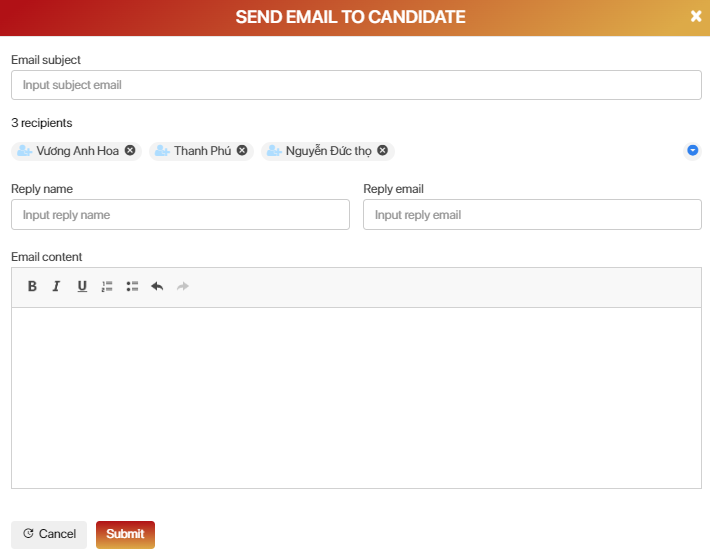
Step 5: Send email to the Candidate. Employers can send email each Candidate or many Candidates at the same time, select the "Send Email" button as shown below.
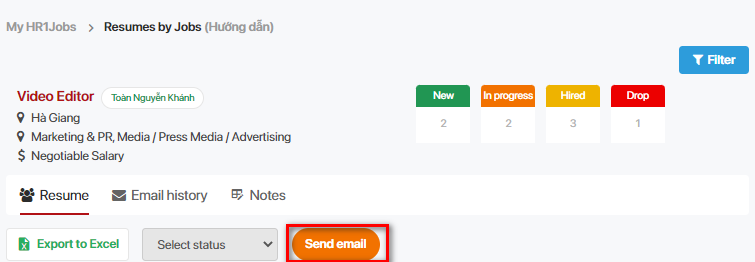
Select the Candidates that Employer want to send the email, the screen will display the mailbox as follows. Input the content, subject and select "Send"
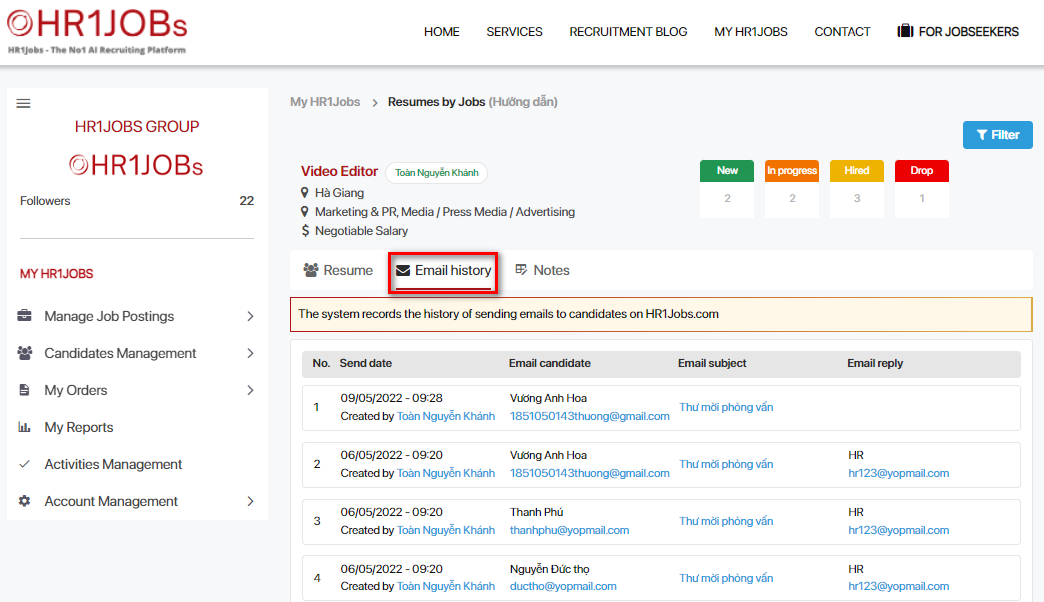
In addition, Employers can review the email history.
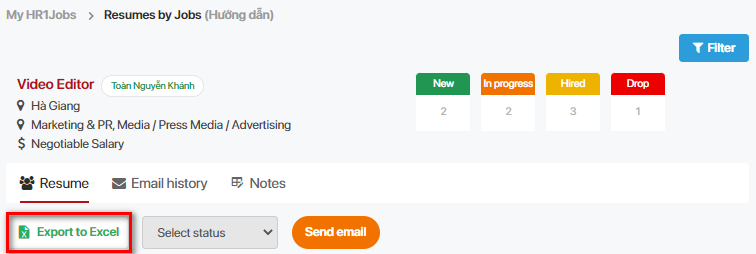
Step 6: Export the Candidate Management report.
Choose Candidates or all, select “Export to Excel” to download the report
C. FOLLOWING THE RECRUITMENT CANDIDATES
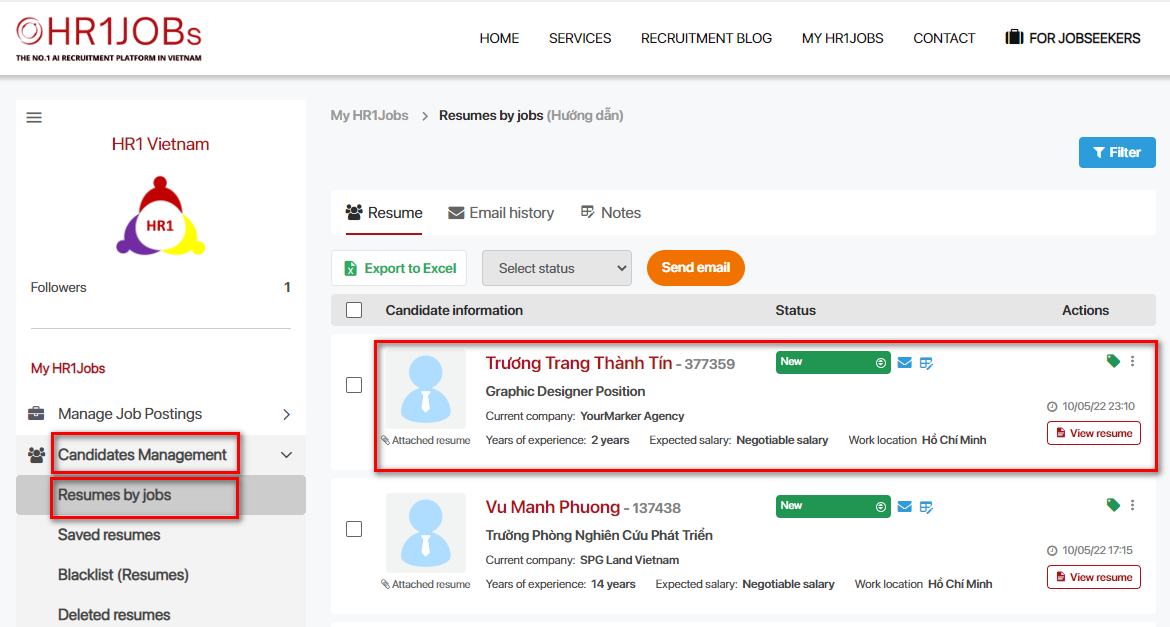
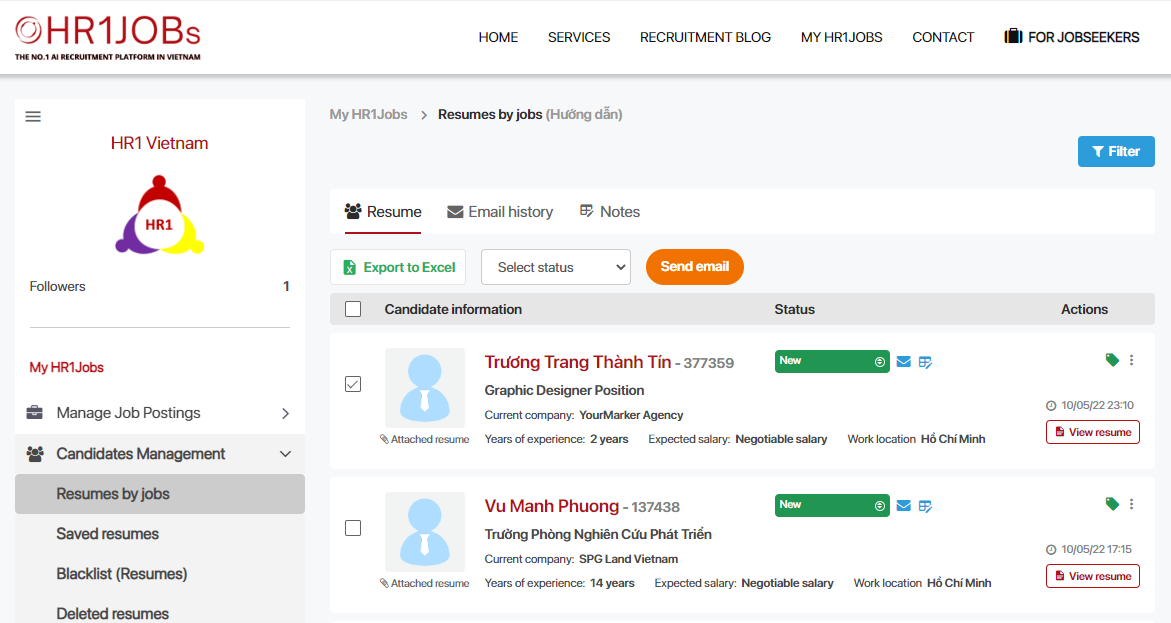
Step 1: After logging in to your account, select “RESUMES BY JOBS” under “CANDIDATE MANAGEMENT”. This section will view the full list of Candidates who have applied for different positions that the Employer has posted.
Information displays each Candidate will include:
- Name of applicant
- Position applied
- Candidate's Status
The expanded filter will have the following fields of information:
- Keywords: Enter keywords to search (Candidate name or Position name)
- Time: Candidate's application time
Step 2: Review the notes history & Export Candidate report
Select “Notes” to review the note history
Tick Candidate, then select “Export to Excel” to download the report
D. CHECK MY REPORT
Nhằm kiểm soát được số lượng Hồ sơ ứng viên đã mở, quản lý báo cáo sẽ hiển thị thông tin cho Nhà tuyển dụng
Step 1: Select “MY REPORT” under “VIEWED RESUMES”, then select icon “FILTER” at the right corner to open the advanced filter
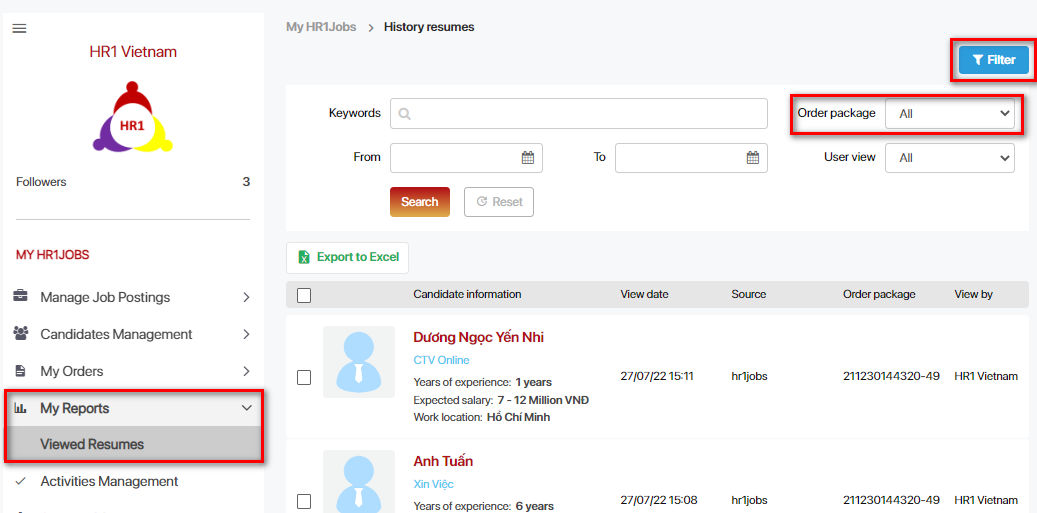
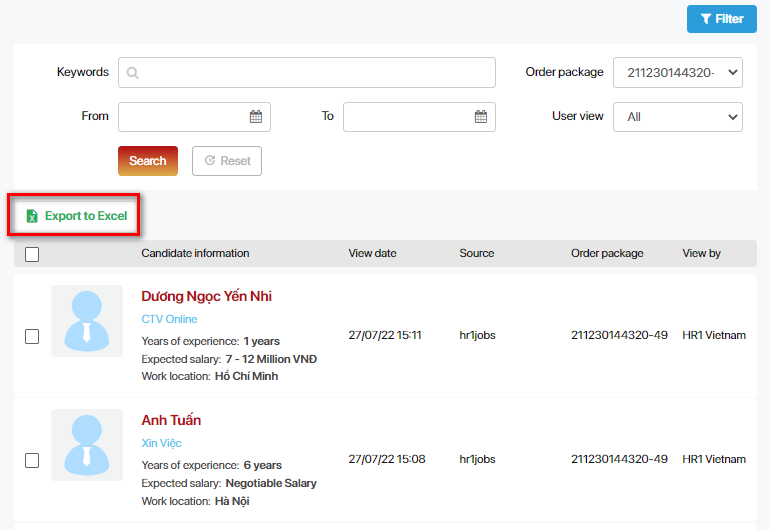
Select each order package to view detailed resumes & export reports
For any further questions, please contact:
WEBSITE: www.hr1jobs.com
HOTLINE: 0908 645 068
Email: info@hr1jobs.com
Facebook: www.facebook.com/hr1jobs
LinkedIn: www.linkedin.com/company/hr1jobs
HR1Jobs - Nền Tảng Tuyển Dụng Trực Tuyến Đa Ngành Nghề
Tìm việc và tuyển dụng ngành IT. Khám phá thêm tại www.hr1tech.com